Welcome to Gift Owlerts
Gift Owlerts turns one-off gift buyers into repeat customers. Your shoppers tell you who a gift is for and when the occasion is. Next year, Gift Owlerts emails the shopper before the day comes round again, with products from your store.
How it works
- A shopper saves an occasionOn your cart or product page they tick Is this a gift? and fill in who it’s for, the occasion, the date and what the recipient is into.
- Gift Owlerts keeps it safeThe occasion appears in your Contacts and is linked to the shopper’s name and email when they place their order.
- A reminder goes out before the dateEvery year, a set number of days before the occasion, the shopper gets a reminder email with up to three products from the collection they picked.
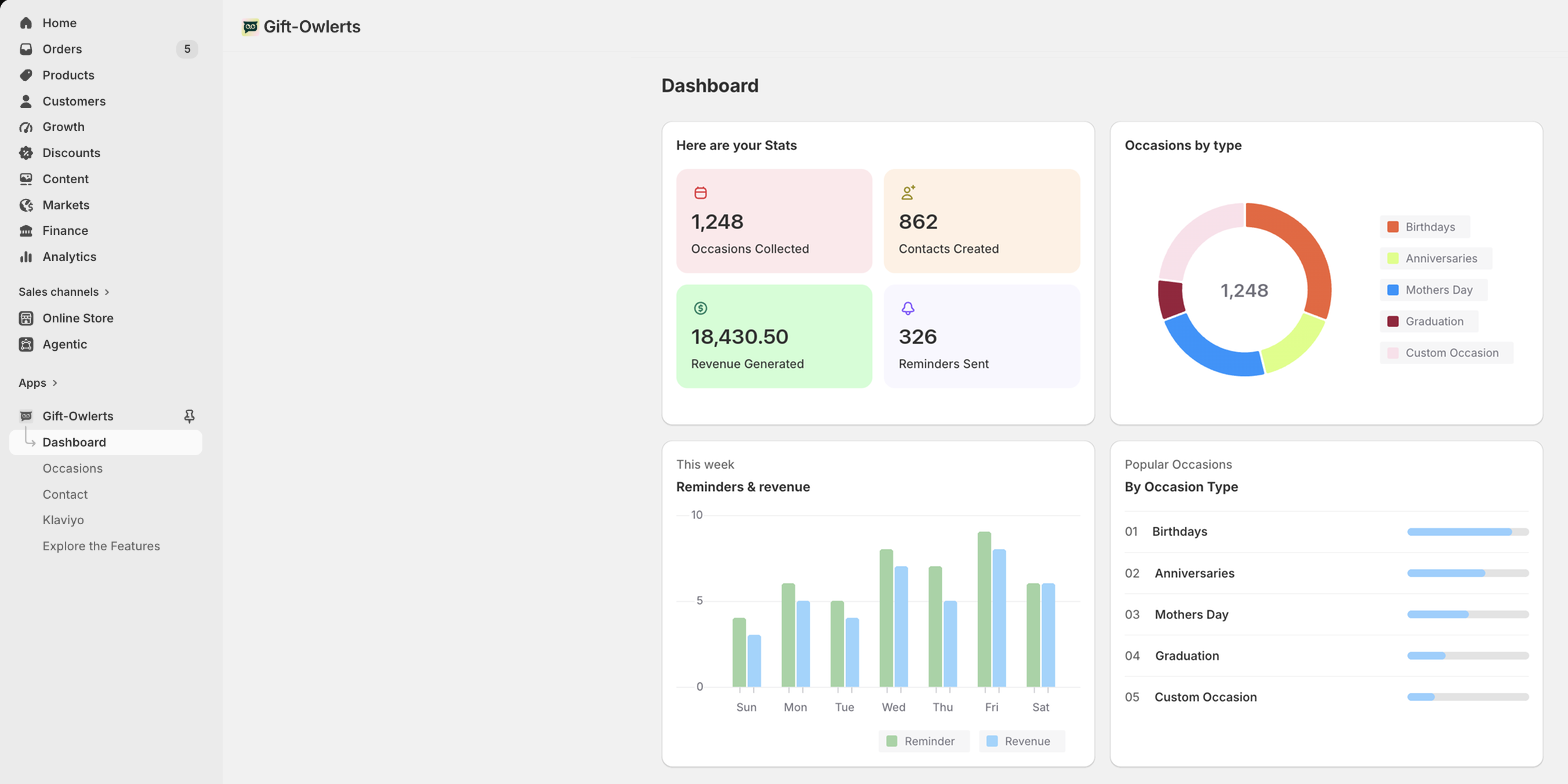
- They come back and buyOrders that start from the reminder email count towards Revenue Generated on your Dashboard.
You are the merchant: the store owner or staff setting up Gift Owlerts. A shopper is someone buying from your store who saves an occasion and gets the reminder email. The recipient is the person the gift is for. “Customer” only appears in Shopify names, such as customer accounts.
Already use Klaviyo? You can send occasions to Klaviyo and run reminders from your own flows instead. See Connect Klaviyo.
Ready to set up?
Most stores are up and running in about 15 minutes. Compare Plans & billing, then follow Quick setup.
Find your way around the app
Open Gift Owlerts from Apps in your Shopify admin. The app menu has five pages:
| Menu item | What it’s for |
|---|---|
| Dashboard | Your stats: occasions collected, contacts, revenue and reminders sent. |
| Occasions | The occasion types shoppers can choose, and the reminder email for each. |
| Contact | Every occasion your shoppers have saved. |
| Klaviyo | Connect Klaviyo and sync occasions to your shoppers’ Klaviyo profiles. |
| Explore the Features | Compare plans and upgrade or downgrade. |