Contacts
Contacts lists every occasion your shoppers have saved, from the gift form and from customer accounts.
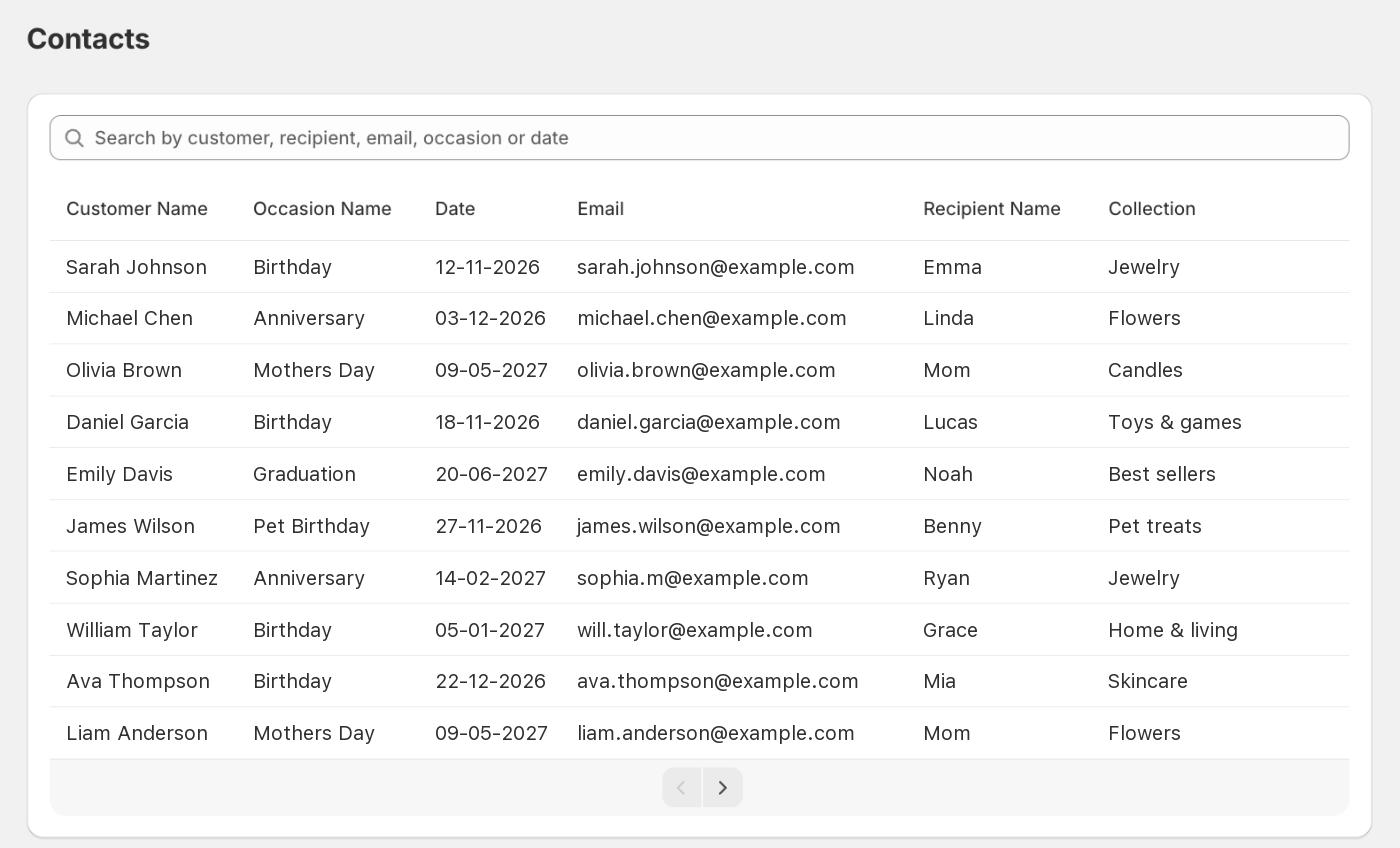
What each column shows
| Column | Meaning |
|---|---|
| Customer Name | The shopper who saved the occasion. Shows Unavailable until they place an order (see below). |
| Occasion Name | The occasion they chose. |
| Date | The occasion date (day-month-year). |
| The email the reminder goes to. | |
| Recipient Name | Who the gift is for. |
| Collection | The interests collection the shopper picked. |
Search contacts
Use the Search contacts box above the table to find an occasion quickly. Results update as you type.
- What it searches: customer name, email, recipient name, occasion name and date. Part of a word is enough, for example
sarfinds Sarah. - Upper or lower case doesn't matter.
- It searches every page, not just the one you're on, and a new search always starts from page 1.
- Type a date the way it appears in the Date column.
- The interests collection isn't searched.
If nothing matches, you'll see No contacts match “…”. Click the × in the box to clear the search and see every contact again.
Why Customer Name shows “Unavailable”
Shoppers can save an occasion on the cart without being logged in. Gift Owlerts fills in the shopper’s name once they place their order.
Good to know
- Contacts is view-only. To remove a reminder, the shopper can stop it from the email or delete it in their customer account.
- If there’s nothing here yet, you’ll see No contacts yet. Check the gift form is on your store.